Guide
Animated flight route map
By the MAPROUTE team · Updated
In short
Add the cities you flew between as stops, set each leg to plane, and choose Globe under Camera & globe for long-haul flights. The plane flies a smooth arc from stop to stop, and the camera pulls back on long legs so the whole flight fits on screen. Mix in car or train legs for the trip on the ground.Set up a flight
- In the editor, add your departure and arrival cities (or more for a multi-stop trip).
- On each leg, click the plane icon, then choose the plane from the vehicle list (for example the airliner).
- Under Camera & globe, choose Globe for flights across oceans or continents; Flat map suits shorter, regional flights.
- Press Play. Long legs get more time automatically; set Video length if you need an exact length.
What it shows, and what it doesn't
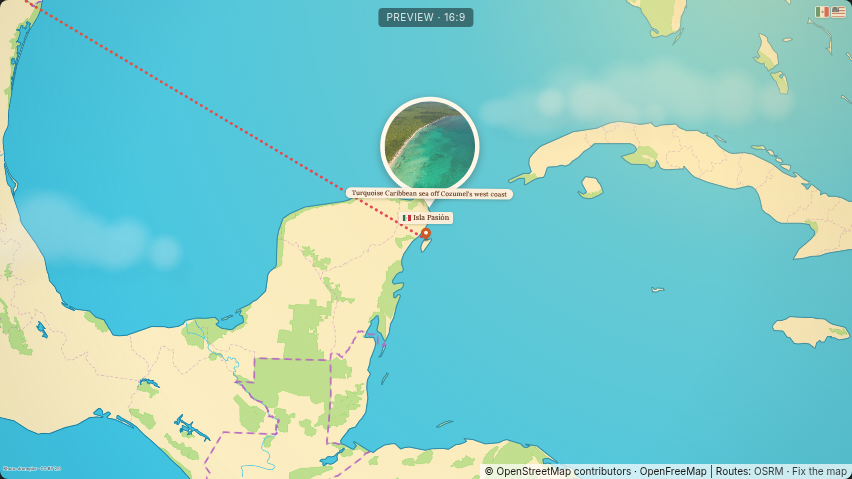
- The plane flies a smooth, simplified arc between the two places. It is not the airline's real flight path, and there's no flight-tracking data.
- Stops are the places you choose, not airports by code: search for the city, or for the airport by name.
- The route line's style (dotted, dashed, solid) is up to you under Route line.
Door-to-door trips
A trip is rarely only a flight. Add the train to the airport and the drive to the hotel as their own legs: car and bus legs follow the real roads, and the plane takes over for the flight.
Ideas to start from
The world's best beaches route flies around the world on the globe, and Lindbergh's 1927 flight crosses the Atlantic. Open either and change it to your own trip.