Guide
Road trip route animation
By the MAPROUTE team · Updated
In short
Add your stops in driving order, set each leg to car or bus, choosing the vehicle you drove (a car, van, classic convertible, motorcycle, bicycle and more) and leave Roads on: the vehicle then follows the real roads between stops, taken from OpenStreetMap. Add the distance counter in miles or kilometres, choose the 3D tilt camera, and export.Real roads or straight lines?
Car, bus, bike and walking legs follow real roads and trails by default (OpenStreetMap data, routed with OSRM), so the line bends where the road bends. You have three choices:
- Roads on (default): the leg follows the actual road.
- Roads off on one leg: a smooth drawn curve for that leg only. Useful for a ferry crossing or a leg where you took a different road.
- Advanced → Follow real roads unticked: straight lines between all your stops, for a simpler, stylised map.
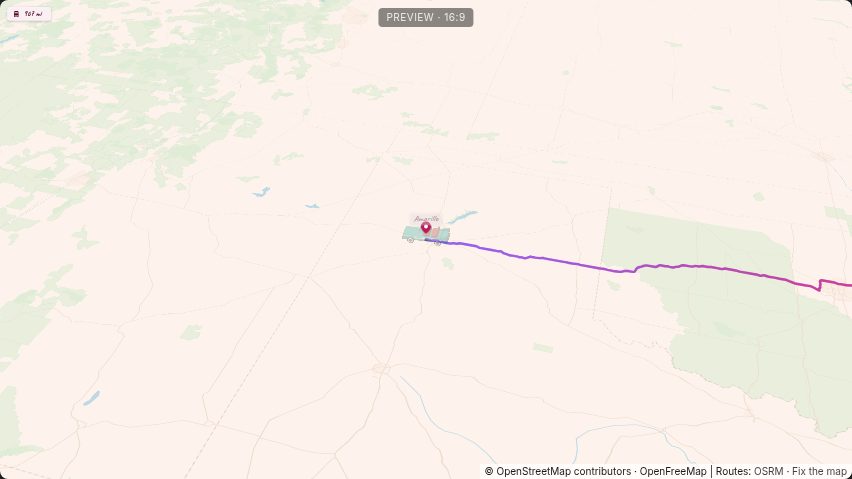
Pick the vehicle
Next to a leg's travel mode, the vehicle list has a car, a van, a classic convertible, a 4×4, a pickup, a motorcycle, a bicycle, a bus and more (27 vehicles across all modes). In the vehicle list, Use the … on all legs puts the same vehicle on every leg of that kind.
Stop order and timing
- Put the stops in the order you drove. Drag the ⋮⋮ handle to reorder; the roads are recalculated.
- A long driving day can be one leg; you don't need a stop at every town you passed.
- Each leg's time is set from its distance. Type seconds on a leg to stretch a scenic part, or set the whole Video length.
Make it feel like a road trip
- Pins & labels → Distance counter: miles or kilometres that count up as you drive.
- Camera & globe → 3D tilt: a low, angled view along the road.
- Maps: Navigation looks like a GPS app; Terrain relief shows the mountains you crossed.
Example: Route 66
The Route 66 preset is a ready-made road trip: nine stops from Chicago to Santa Monica in a classic convertible, with a miles counter and the 3D tilt camera. Open it, then add or remove stops to match your own drive. See the Route 66 guide for a walkthrough.
If the route looks wrong
- The road goes somewhere you didn't: add a stop where you turned, so the route passes through it.
- A leg crosses the sea: switch Roads off for that leg, or make it a boat leg.