Guide
Route 66 map animation: a walkthrough
By the MAPROUTE team · Updated
In short
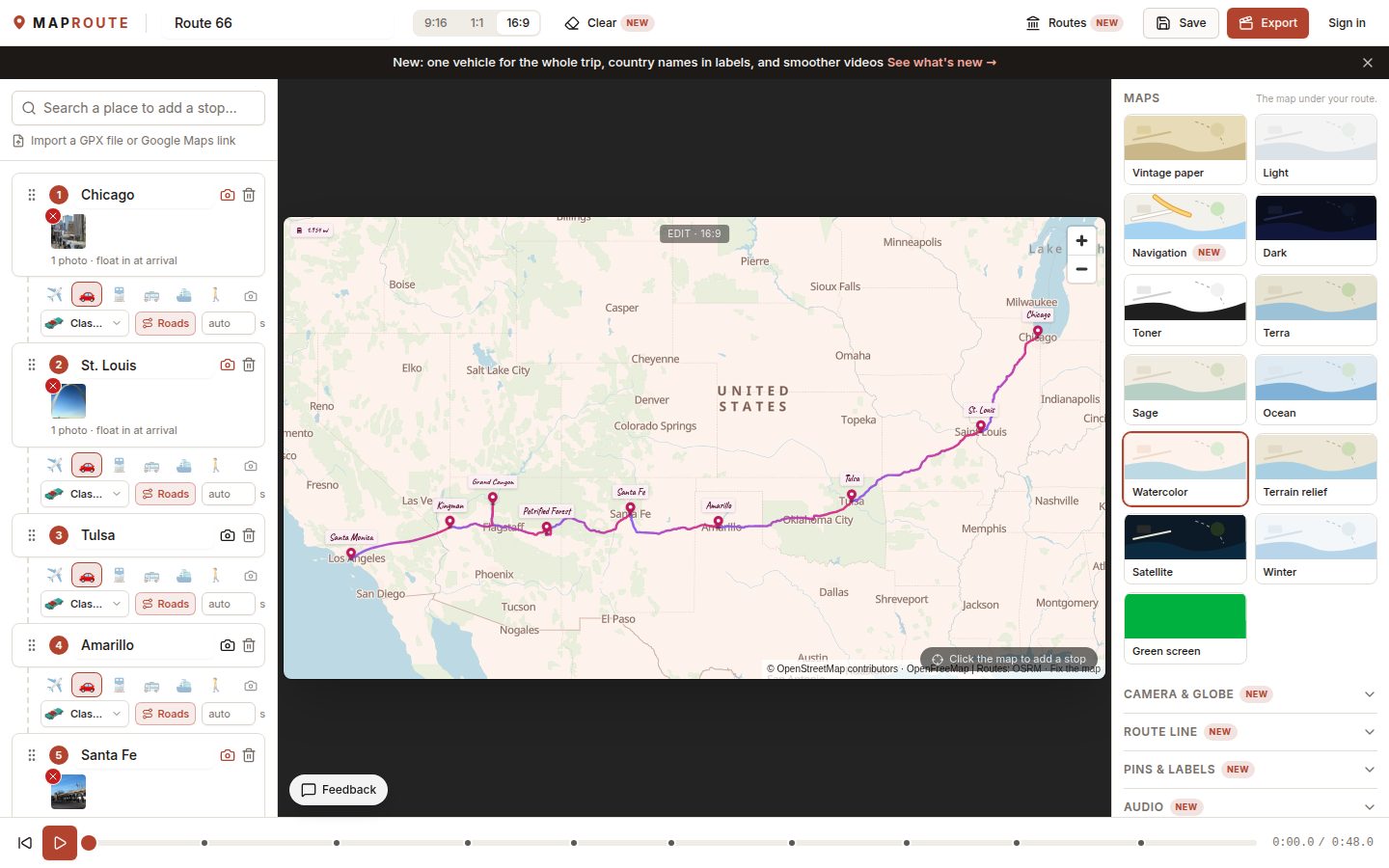
Open the Route 66 preset: nine stops from Chicago to Santa Monica, a classic convertible on the real roads, a miles counter and the 3D tilt camera are already set. Change the stops to the ones you visited, switch to 9:16 if it's for Reels or TikTok, and export.What the preset already has
- Nine stops: Chicago, St. Louis, Tulsa, Amarillo, Santa Fe, Petrified Forest, Grand Canyon, Kingman and Santa Monica.
- A classic convertible on every leg, following the real roads.
- The Postcard style, the 3D tilt camera and a distance counter in miles.
- A road-trip music track, and photos of the sights with their credits.
Make it your trip
- Open the preset from the Route 66 page (Animate this route) or the Routes button in the editor.
- Remove stops you skipped with the bin icon, and add your own with the search box (a diner, a motel, a national park).
- Drag stops into the order you drove them; the roads are recalculated.
- Replace the photos with yours: click the camera icon on a stop.
- Choose 9:16 for Reels, TikTok or Shorts, or keep 16:9 for YouTube.
Ideas
- Only did part of it? Keep the stretch you drove, for example Santa Fe to Santa Monica.
- Driving it in stages over several trips? Make one video per stage and keep the same style.
- Prefer a modern look? Try the Navigation map under Maps.
Exporting is free and unlimited with a small "maproute.app" watermark, and needs no account. To remove the watermark, sign in for one free clean export, then use credits (€5 for 3) or Pro (€12 a month or €59 a year). Prices include VAT where it applies.