Guide
How to turn a travel itinerary into an animated map
By the MAPROUTE team · Updated
In short
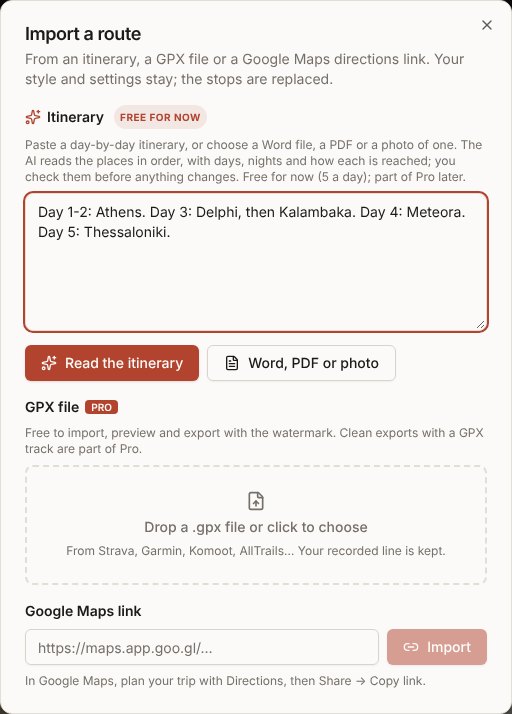
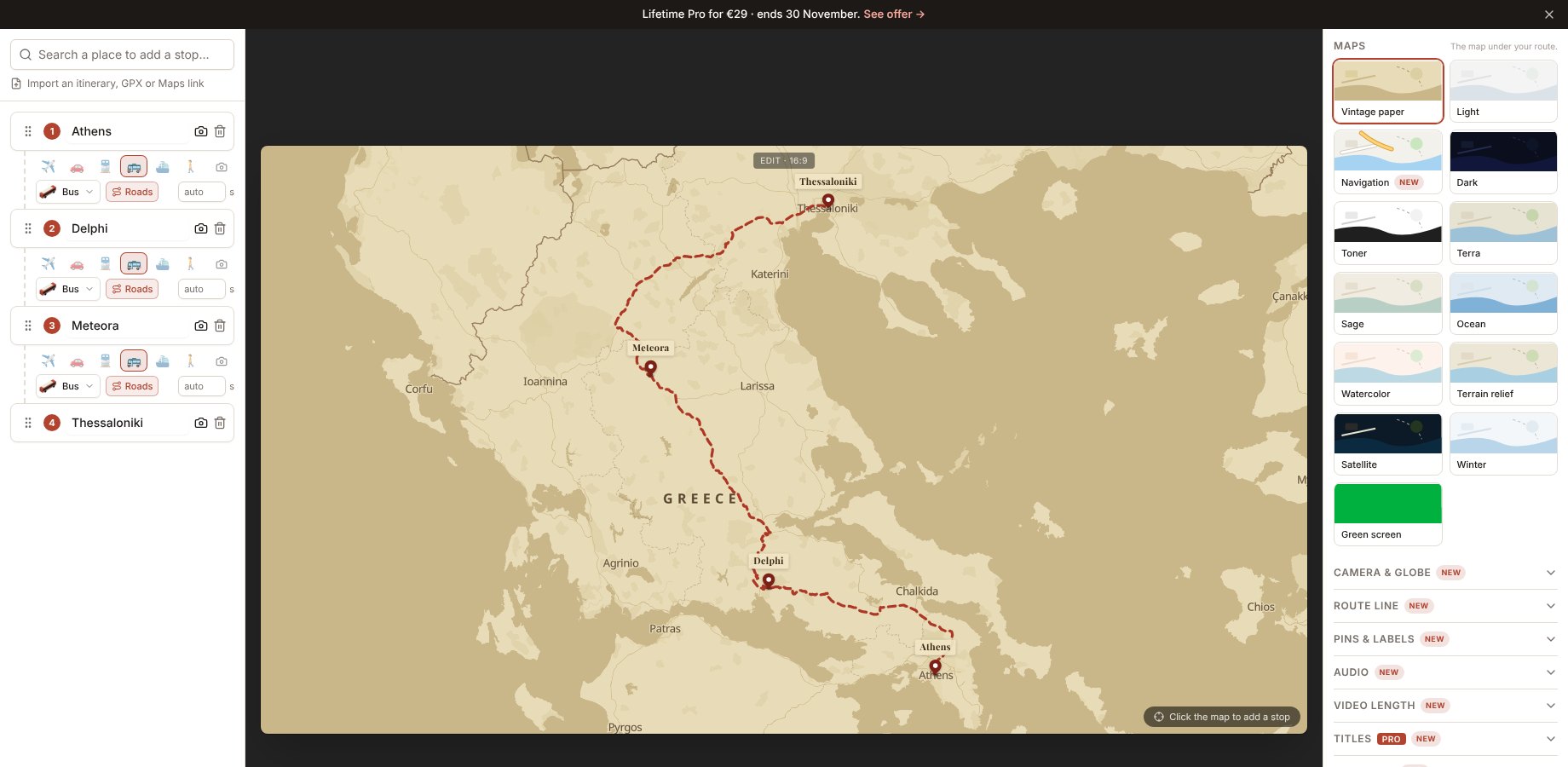
In the MAPROUTE editor, press Import an itinerary, then paste the day-by-day plan or upload it as a Word file, a PDF or a photo. The AI reads the places in order, with the days and nights at each and whether you get there by plane, coach, train or ferry. You check and edit every stop, then Build the route: it appears on the map, on real roads and sea routes, ready to style and export. It's free for now for everyone signed in.Who it's for
- Travel agents and tour operators: turn a tour programme into a video for the website, Reels or a client.
- Cruise and ferry trips: ports in order, with the days at sea.
- Guides and travellers: your own day-by-day plan, without adding stops one by one.
Step by step
- Open the editor and sign in (it's free).
- Press Import an itinerary in the left panel (or the import link under the search box).
- Paste the itinerary, or press Word, PDF or photo to upload it. A photo of a printed programme works too.
- Press Read the itinerary. It takes 20 to 60 seconds.
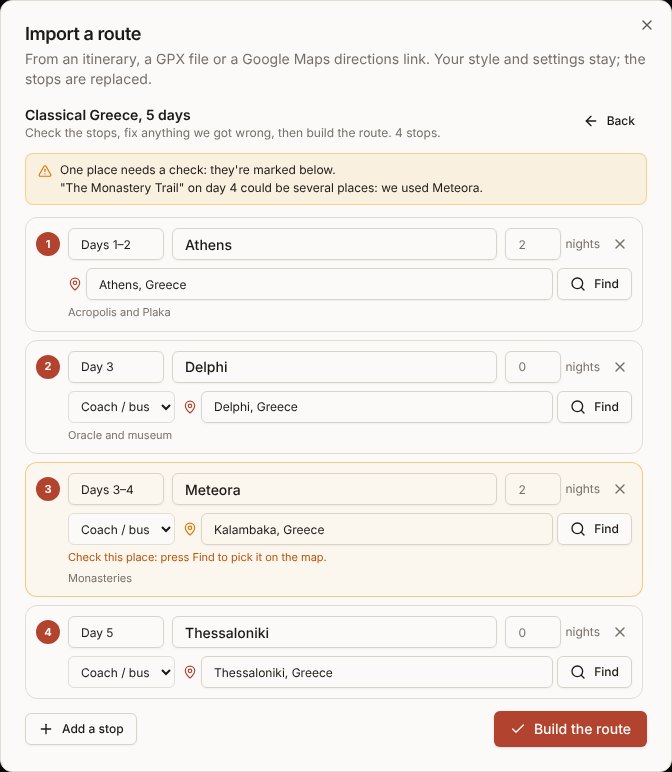
- Check the stops: each shows its days, the name on the map, the nights, how it's reached and the place. Places to check are marked in orange: press Find and pick the right one.
- Remove stops you don't want, add any that are missing, then press Build the route.
What it reads
- The places in order: towns, islands, ports and sights. Hotels and restaurants are left out.
- The days and nights at each stop (Day 1, Days 3–4, 2 nights).
- How each stop is reached: flight, coach, train, ferry, car or on foot.
- Itineraries in any language. Names on the map stay in the itinerary's language.
Paste only the day-by-day part. Prices, terms and inclusions just slow it down.
After it's built
- Pick a map style and a look on the right, and music under Audio.
- Add your photos to each stop with the camera icon.
- Choose 9:16 for Reels and TikTok, or 16:9 for YouTube and websites, then Export.
Exporting is free and unlimited with a small "maproute.app" watermark, and needs no account. To remove the watermark, sign in for one free clean export, then use credits (€5 for 3) or Pro (€12 a month or €59 a year). Prices include VAT where it applies.
Questions
- Does it cost anything?
- It's free for now for everyone signed in, up to 5 itineraries a day. Later it will be part of Pro.
- Which files can I upload?
- Word (.docx), PDF, and photos or screenshots (JPG or PNG), or just paste the text. Old .doc files: save them as .docx or PDF first.
- What if it gets a place wrong?
- Nothing changes until you press Build the route. In the review, type the right place and press Find, change the days or how it's reached, or remove the stop.